
When auto token sweeping is enabled, incoming tokens are automatically moved to a designated sweep-to address. You may need to change this address if your setup changes, you switch networks, or the current address is compromised or tainted by suspicious funds. This guide explains how to change the sweep-to addresses.Documentation Index
Fetch the complete documentation index at: https://manuals.cobo.com/llms.txt
Use this file to discover all available pages before exploring further.
Prerequisites
- You have enabled auto token sweeping for the wallet.
- You have been assigned the Operator, Manager or Admin user role.
Steps
- Select the wallet you want to change the sweep-to address for.
- Click the Addresses tab and then the Sweep-To tab.
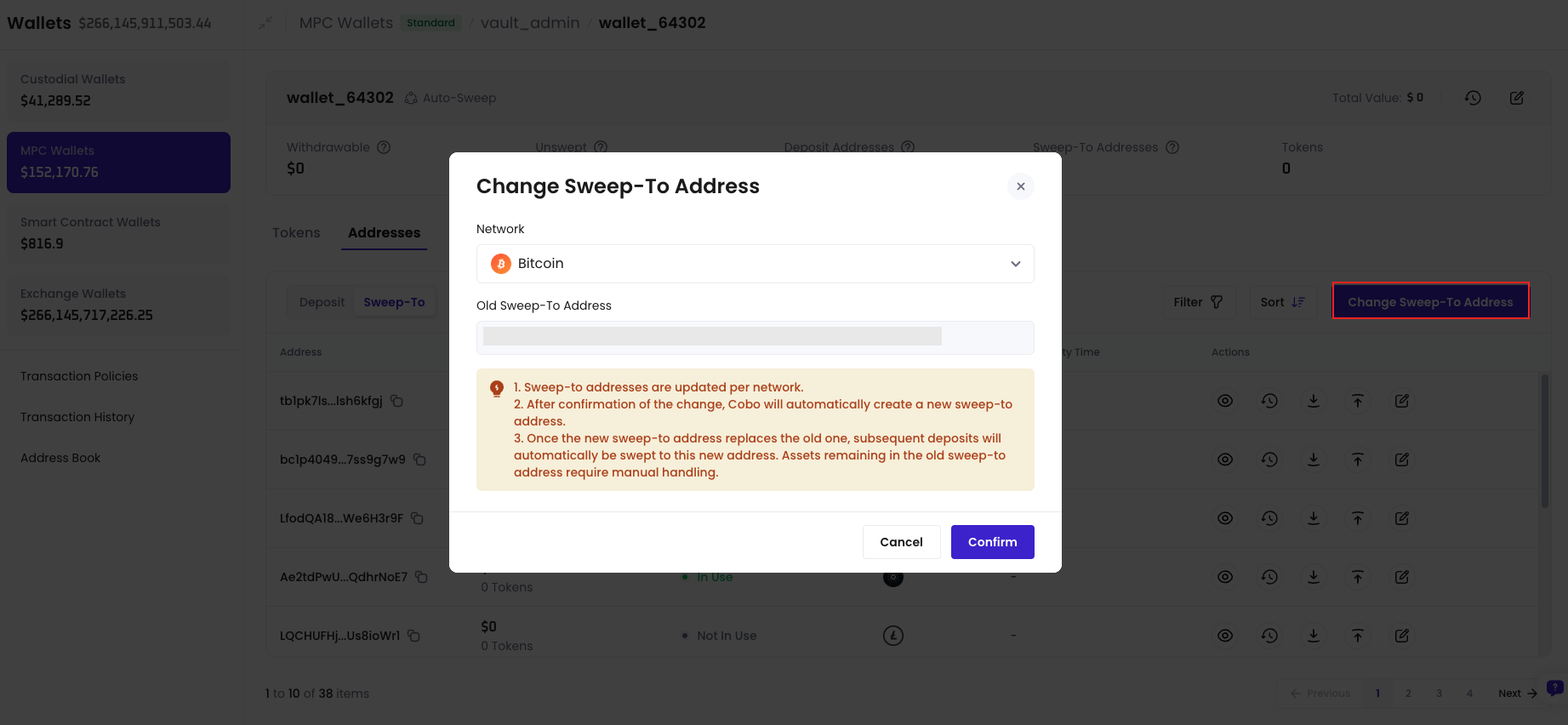
- Click the Change Sweep-To Address button.
-
In the dialog, choose the network that the sweep-to address belongs to, and click Confirm.
- Verify your identity using Cobo Guard or another MFA method.
