> ## Documentation Index
> Fetch the complete documentation index at: https://manuals.cobo.com/llms.txt
> Use this file to discover all available pages before exploring further.
# Log in to Cobo Accounts
> A comprehensive guide on logging into your Cobo Accounts, detailing the steps for secure access and troubleshooting common login issues.
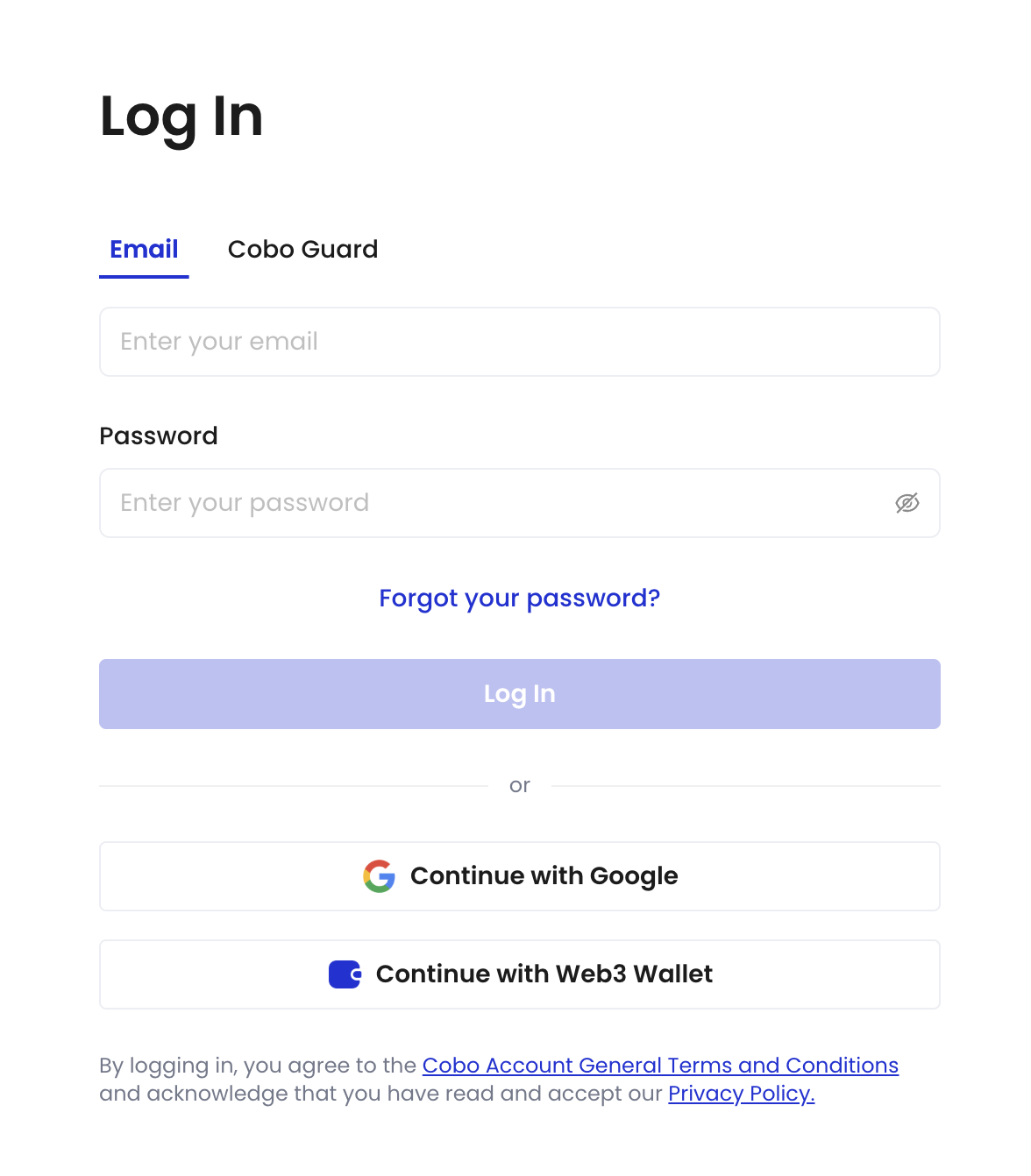 ## Use email and password for login
1. Go to the [Cobo Accounts login page](https://accounts.cobo.com/).
2. Enter your email address and password, then click **Log In**.
## Use Google Account for login
1. Go to the [Cobo Accounts login page](https://accounts.cobo.com/).
2. Click **Continue with Google**.
## Use Web3 wallet for login
1. Go to the [Cobo Accounts login page](https://accounts.cobo.com/).
2. Click **Continue with Web3 Wallet**.
3. Sign the message in your wallet.
## Use Portal Mobile for login
[Portal Mobile](/en/portal-mobile/introduction) is a transaction approval application developed by Cobo that allows you to authorize transactions anytime, anywhere, and securely store your MPC key shares. For more information on how to configure Portal Mobile as a login method, see [Set up Portal Mobile](/en/guard/set-up).
1. Go to the [Cobo Accounts login page](https://accounts.cobo.com/).
2. Switch to the **Portal Mobile** tab to log in.
## Use email and password for login
1. Go to the [Cobo Accounts login page](https://accounts.cobo.com/).
2. Enter your email address and password, then click **Log In**.
## Use Google Account for login
1. Go to the [Cobo Accounts login page](https://accounts.cobo.com/).
2. Click **Continue with Google**.
## Use Web3 wallet for login
1. Go to the [Cobo Accounts login page](https://accounts.cobo.com/).
2. Click **Continue with Web3 Wallet**.
3. Sign the message in your wallet.
## Use Portal Mobile for login
[Portal Mobile](/en/portal-mobile/introduction) is a transaction approval application developed by Cobo that allows you to authorize transactions anytime, anywhere, and securely store your MPC key shares. For more information on how to configure Portal Mobile as a login method, see [Set up Portal Mobile](/en/guard/set-up).
1. Go to the [Cobo Accounts login page](https://accounts.cobo.com/).
2. Switch to the **Portal Mobile** tab to log in.
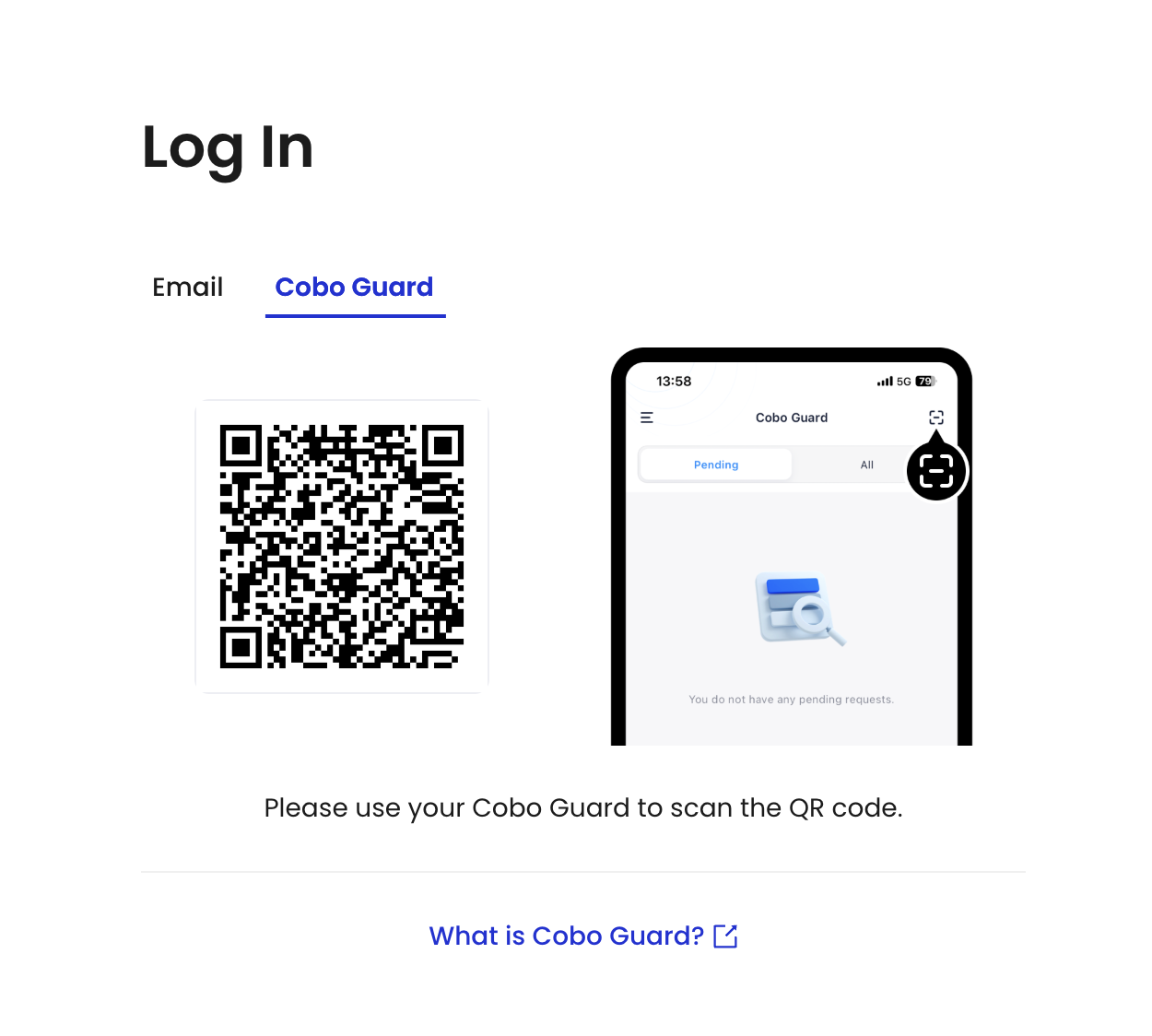 3. Ensure that your Portal Mobile is updated to the latest version.
4. Use your Portal Mobile to scan the QR code.
5. Select an account in your Portal Mobile and click **Log In**.
3. Ensure that your Portal Mobile is updated to the latest version.
4. Use your Portal Mobile to scan the QR code.
5. Select an account in your Portal Mobile and click **Log In**.